No time to learn words
Learning words in a new language is hard, and there's never enough time for regular lessons.
For iPhone, iPad and Mac
We spend hours on Instagram and TikTok every day. MovaKey turns that time into learning: to open a social app, first translate a few words correctly (3 by default). It opens for as many minutes as you decided — then asks for words again.

reluctant
Обери переклад, щоб відкрити Instagram · 1 з 3
The idea
Learning words in a new language is hard, and there's never enough time for regular lessons.
We open Instagram or TikTok dozens of times a day — and often stay longer than we meant to.
Every time you open a social app, you learn a few words. You build your English and cut back your time in the feed.
Every day
You decide how many words to translate and how much time that buys you. Spent 10 minutes and want more? A few more words.
Instead of the feed, a word with two answers.
Each right answer brings a new word and “✓ 2 of 3”. Got one wrong? You see the right translation and keep your progress.
Say, 10 minutes. Choose 5, 10, 15, 30 or 60.
Want more — a few more words. Stopped — you saved the time.
Right answers to open an app:12345678910
Time after the last right answer:5 min10 min15 min30 min60 min
20 times a day
Each word comes back through spaced repetition, so shield answers reinforce what you've learned.
How it works
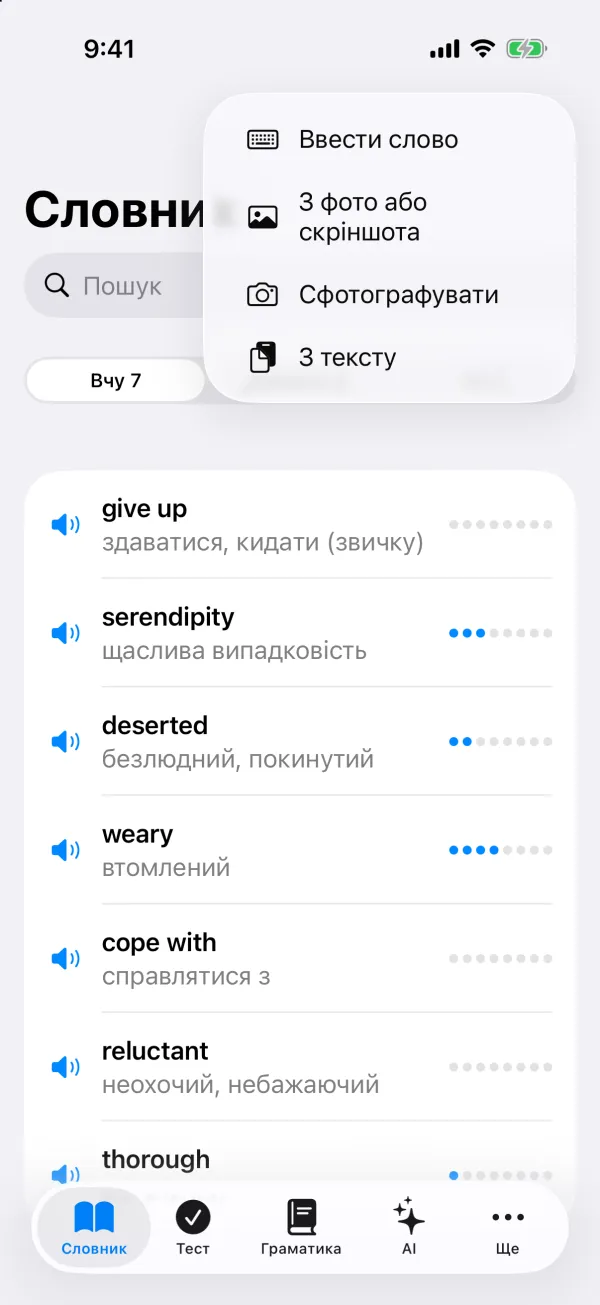
Step 1
Type it, pick a photo or screenshot, snap a book page, or paste some text. From Safari and other apps, just tap Share → MovaKey.
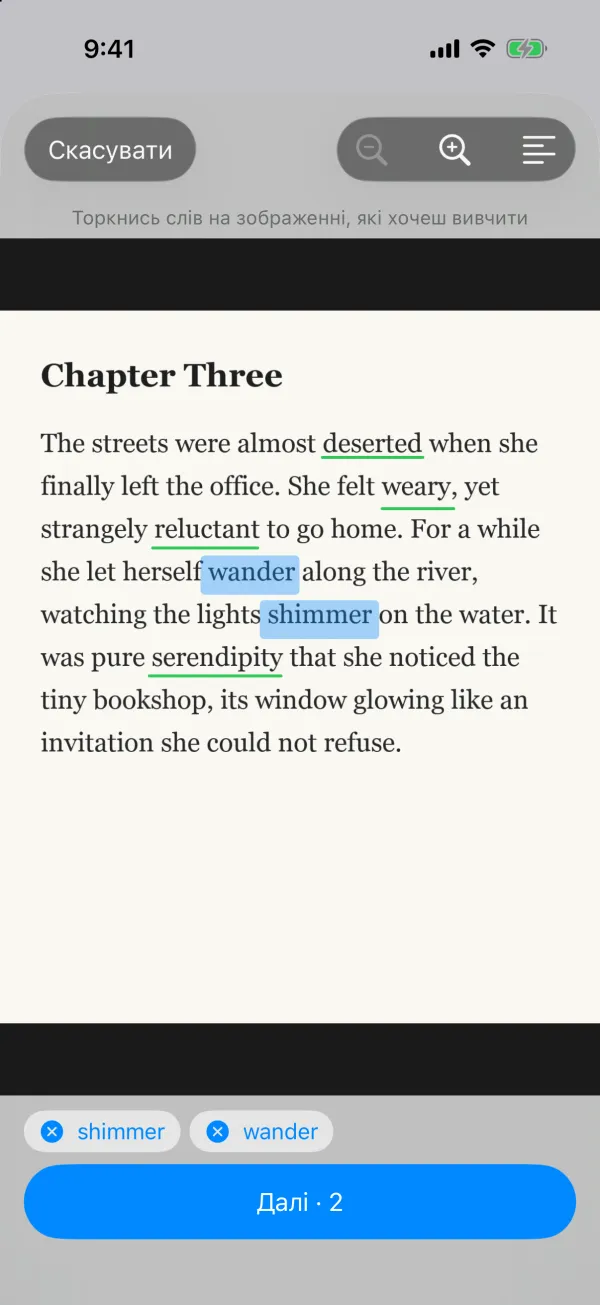
Step 2
MovaKey reads the text in the photo. Tap the words you want to learn — the ones already in your dictionary are underlined in green.
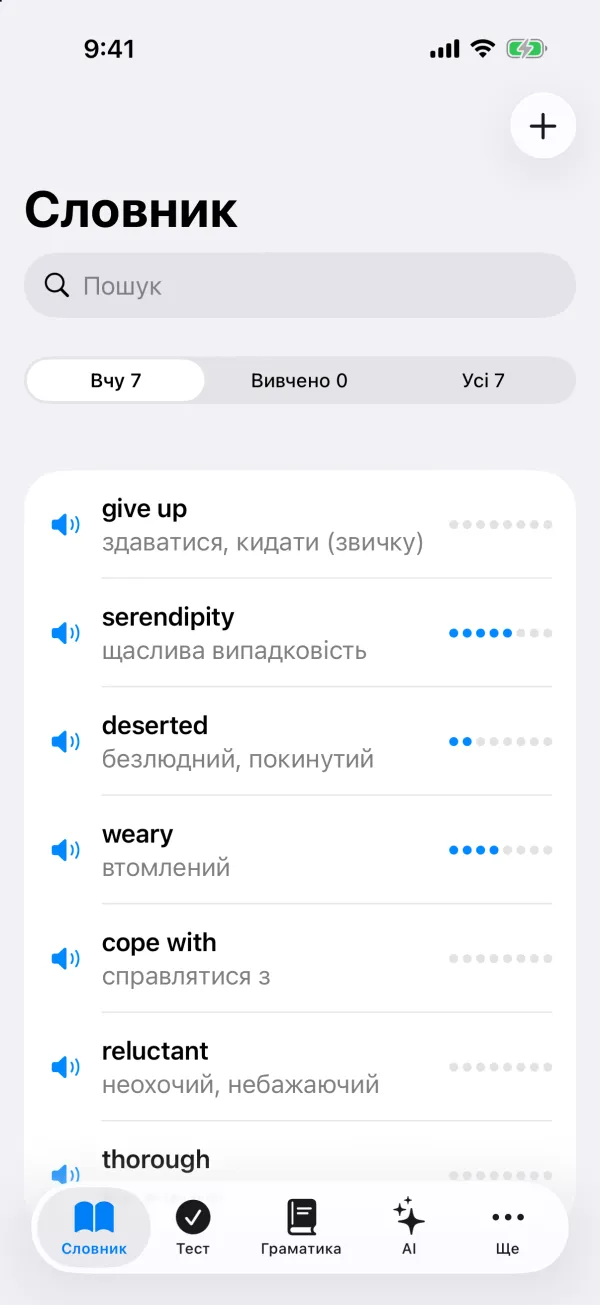
Step 3
Apple's translation runs on your device: no internet, no cost. The speaker button says the word out loud. The dots on the right show your progress.
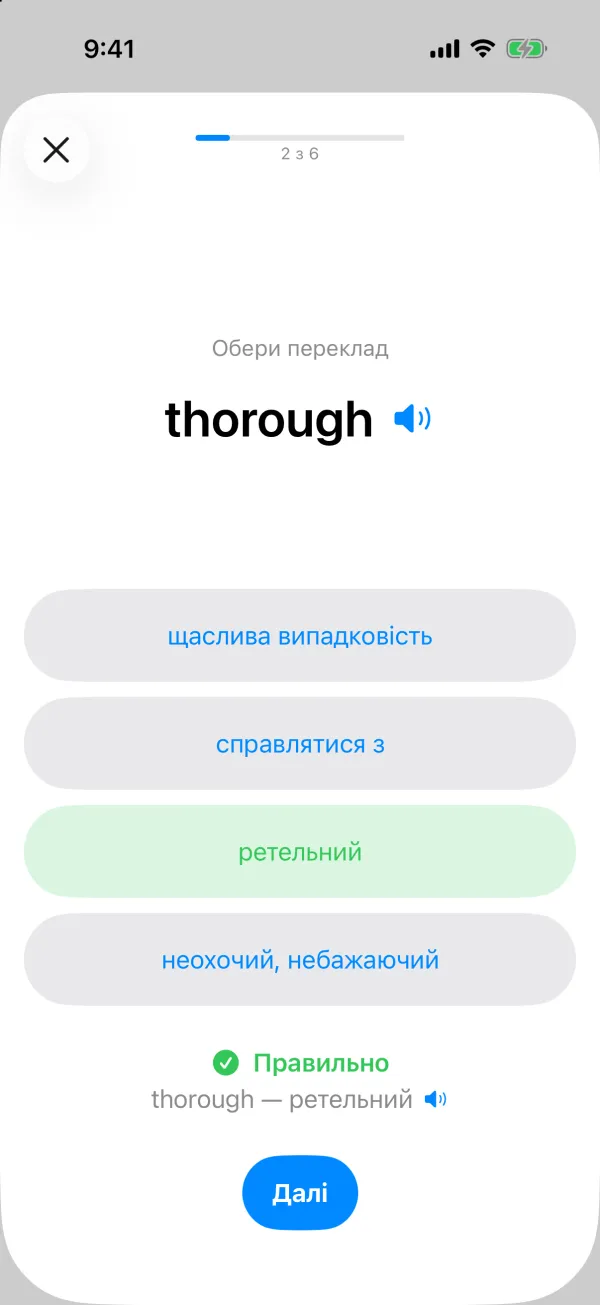
Step 4
Every right answer pushes a word further out: from 1 day to 2 months. After 8 right answers it's learned. A mistake moves it back two steps — not to the start.
6 exercise types, from easy to hard:
Step 5
Choose the apps that distract you. When you open one, Screen Time shows a word with two answers. To open the app you translate several words correctly — 3 by default, and you can pick 1 to 10 for each app. A mistake doesn't reset your progress: you see the right answer and get the next word. After the last right answer the app opens for the time you chose (5–60 min), then locks again.
With two buttons you could guess once; three words is real practice. Beginners can set 1–2, and if you want to learn more — up to 10 at a time.
The blocking settings are behind Face ID, so you can't switch them off on impulse.
weary
✓ reluctant — неохочийОбери переклад · 2 з 3
Step 6
The widget shows a word to review every time you glance at your phone. Tap it to start a quiz.
More than words
All 12 English tenses: explanations in Ukrainian, a comparison table and tests for every tense. The theory is free.
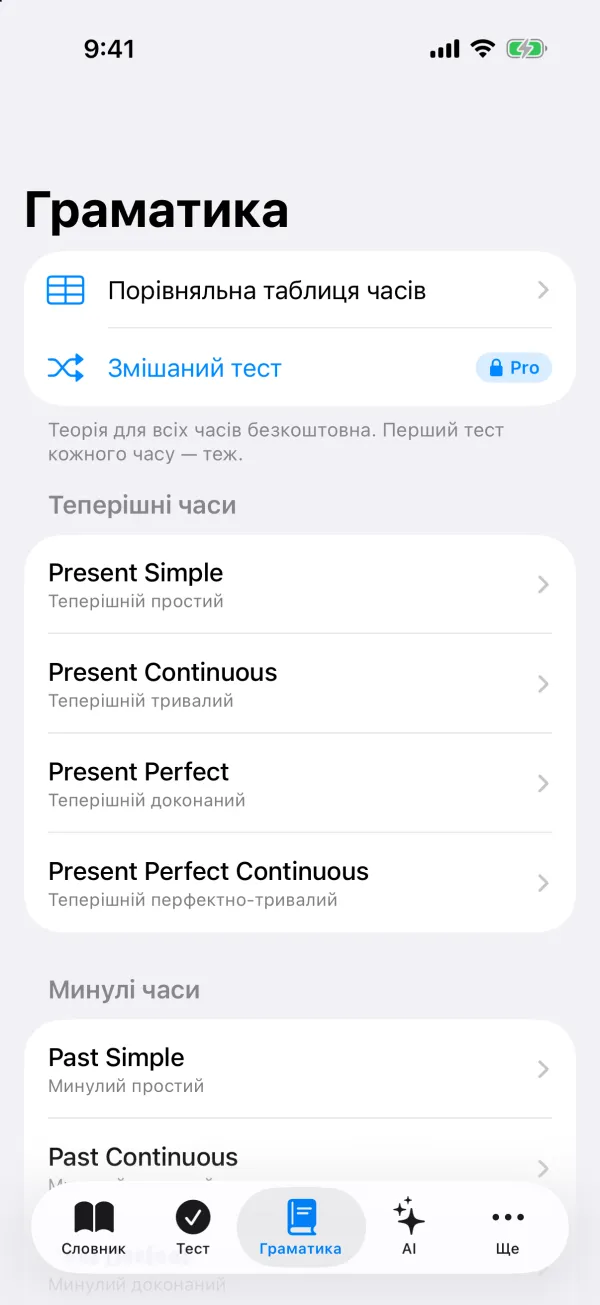
Word analysis with pronunciation, examples and a hint when a phrase is the better thing to learn. A check of your whole dictionary for mistakes. Tense exercises built from your words.
Word analysis
give up /ɡɪv ˈʌp/
phrasal verb
здаватися; кидати (звичку)
Don't give up — you're almost there.
Не здавайся — ти вже майже там.
💡 “give” alone has many meanings; “give up” is a fixed phrase, so learn it as a whole.
Everywhere
Your words sync through your private iCloud. Add a word on your Mac, review it on your iPhone. Light and dark mode follow the system.
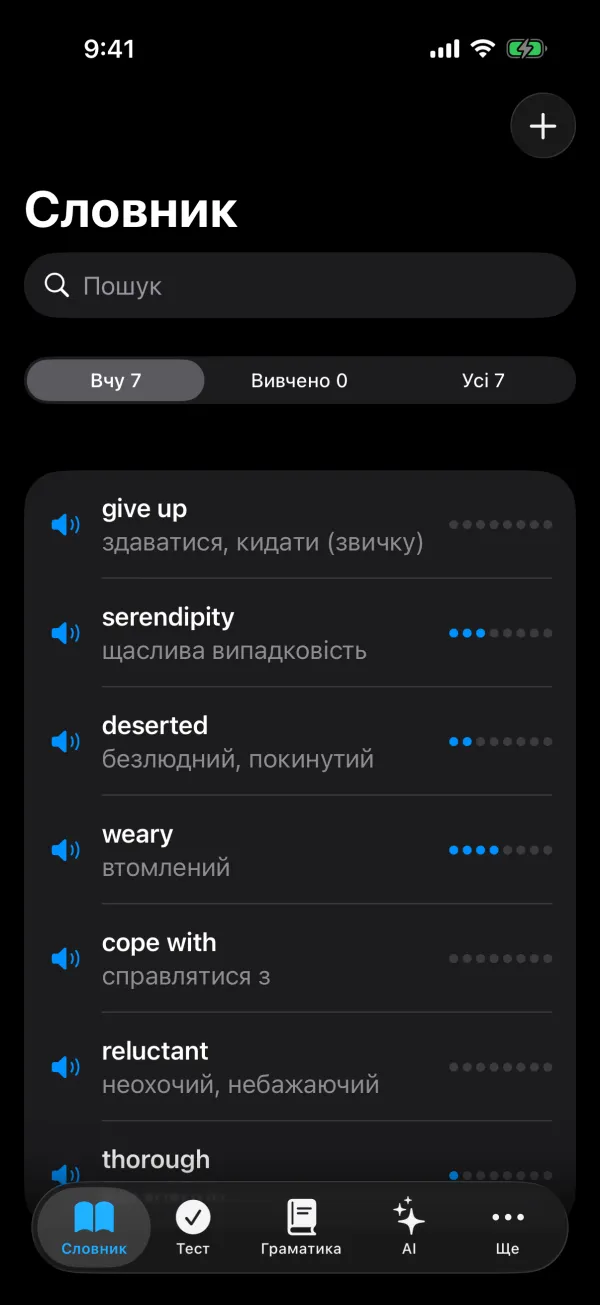
☀︎ Drag to compare light and dark mode ☾
Pricing
Pro unlocks an unlimited dictionary, every grammar test and AI. 7 days free.
$0 forever
7 days free
$29.99 per year · ≈ $2.50/mo
Prices in US dollars; the App Store shows them in your currency. The subscription renews automatically — cancel any time in your Apple ID settings.
FAQ
No. The dictionary, exercises, blocking and widget work without signing in. Signing in (with Apple only) is needed for Pro and AI features.
On your device and in your private iCloud. The MovaKey server doesn't store or see them.
No. Blocking uses Apple's Screen Time: the apps you choose are encrypted by the system and that data never leaves your device.
3 right answers by default. You can choose 1 to 10 for each blocked app in the Block tab (“Правильних відповідей”).
No problem: a mistake doesn't reset your progress. You'll see the right translation (“✗ dog — собака”) and get the next word. That's how the word sticks.
Yes. MovaKey uses Apple's built-in on-device translation. AI features are part of Pro (3 word analyses a day are free).
iPhone and iPad (iOS 18 or later) and Mac (macOS 15 or later). App blocking works on iPhone and iPad.
iPhone Settings → Apple ID → Subscriptions. Cancel at least 24 hours before the period ends and you won't be charged again.
MovaKey is coming soon to the App Store for iPhone, iPad and Mac.
Coming soon